Keep It Very Simple
ExpenseJoy simplifies the entire expense process, so employees can submit expenses, managers can approve them, and finance teams can manage reimbursements with less manual work.
From Expense to Reimbursement
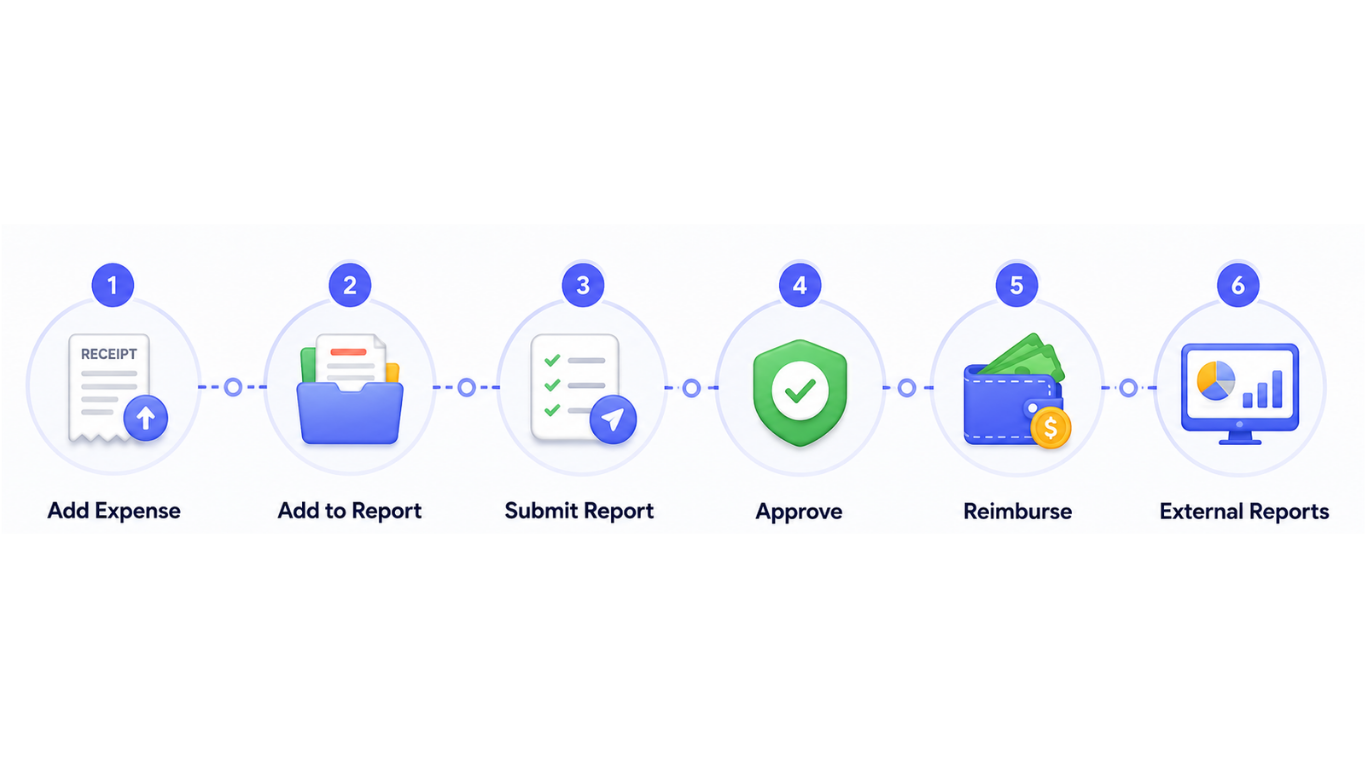
Everything your team needs in one simple workflow.
Add Expense
Create an expense and upload the receipt with the required details.
Add to Report
Group multiple expenses into one report and keep them organized for submission.
Submit Report
Review the expense details and submit the report for approval.
Approve
Managers can review submitted reports and approve or reject expenses.
Reimburse
Once approved, process and track employee reimbursements easily.
External Reports
View spending insights and download reports for better expense management.
Built for Every Step of Your Expense Process
For Employees
Employees can quickly record expenses, organize multiple expenses into reports, submit them for approval, and monitor their reimbursement status.
For Managers
Managers get a clear view of submitted expense reports and can review, approve, or reject expenses without going through multiple systems.
For Finance Teams
Finance teams can manage approved expenses, process reimbursements, monitor spending, and download reports when needed.

Ready to Simplify Your Expense Workflow?
Bring expenses, reports, approvals, reimbursements and spending insights together with ExpenseJoy.
Get Started Free